Features
Everything you need to manage FPV footage
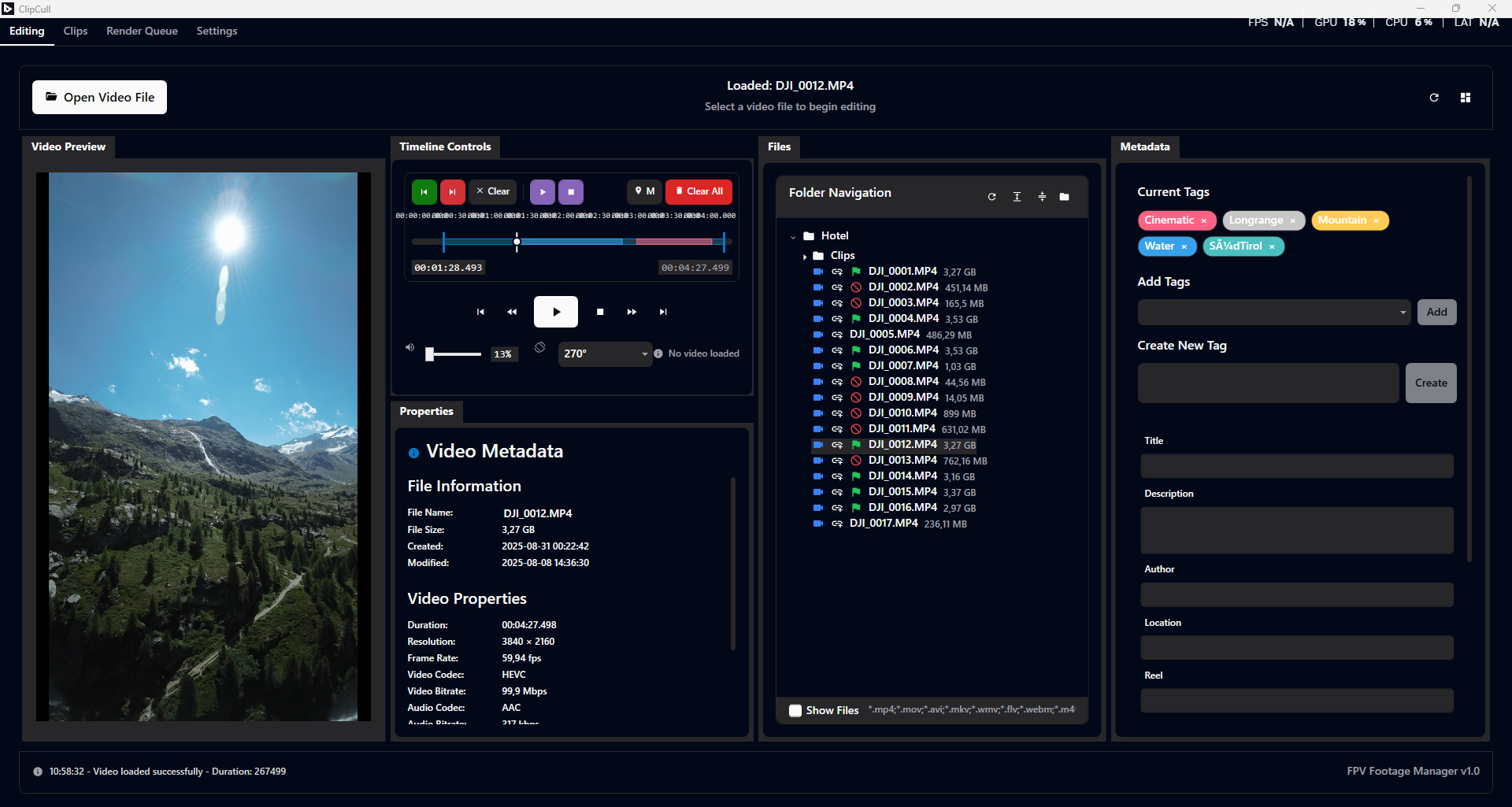
The "Sub-Clip" Workflow
- Stop scrubbing through dead air. Turn one long flight into multiple, bite-sized "Sub-Clips" that are ready to edit.
- Set In/Out points instantly to capture the best 5 seconds of your flight.
- Give each clip a name (e.g., "Gap Dive", "Powerloop") so you know exactly what it is without re-watching.
- Non-destructive: Your original footage is never touched. Clips are just metadata pointers to the best moments.
- Export only what matters: Batch process just your sub-clips instead of rendering 5-minute files.
Build Your Library
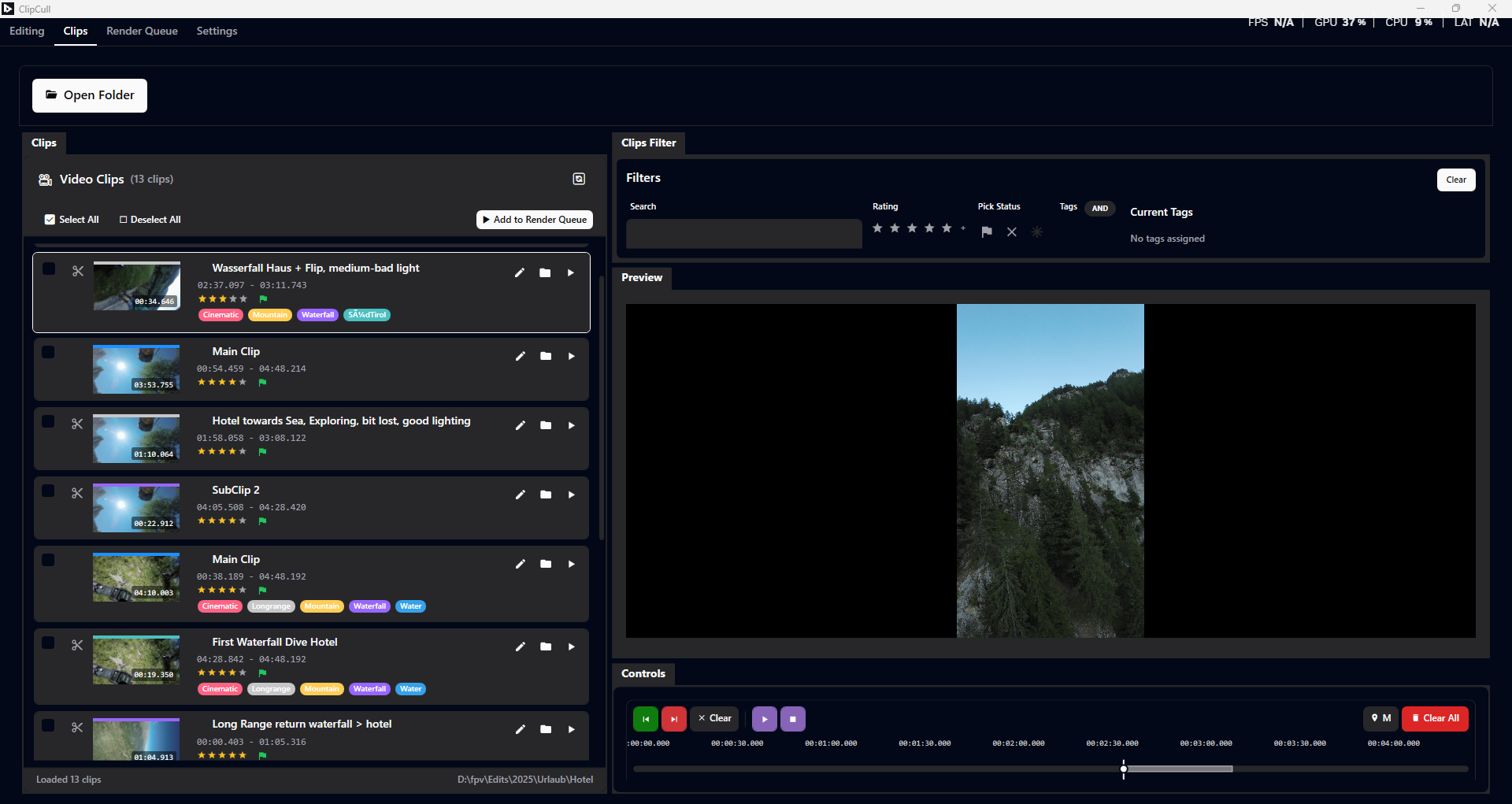
- Find that one shot from 3 months ago. Tag by trick, location, or vibe.
- Color-coded tags let you visually scan your footage (e.g., Green for "Cinematic", Red for "Freestyle").
- Rate your clips (1-5 stars) to separate the bangers from the crashes.
- Pick / Reject system for lightning-fast initial culling.
- Filter instantly: "Show me all 5-star mountain dives."
Lightning-Fast Preview
- Smooth 4K playback. Preview high-bitrate GoPro or Action 2 footage without stuttering.
- Frame-by-frame precision. Step forward or backward to catch the exact moment of impact or apex.
- Rotation support. Mounted your camera sideways? Click once to rotate 90°, 180°, or 270°.
- Timeline markers. Drop notes on the timeline to mark crashes, music sync points, or bloopers.
Gyroflow Stabilization & Rendering
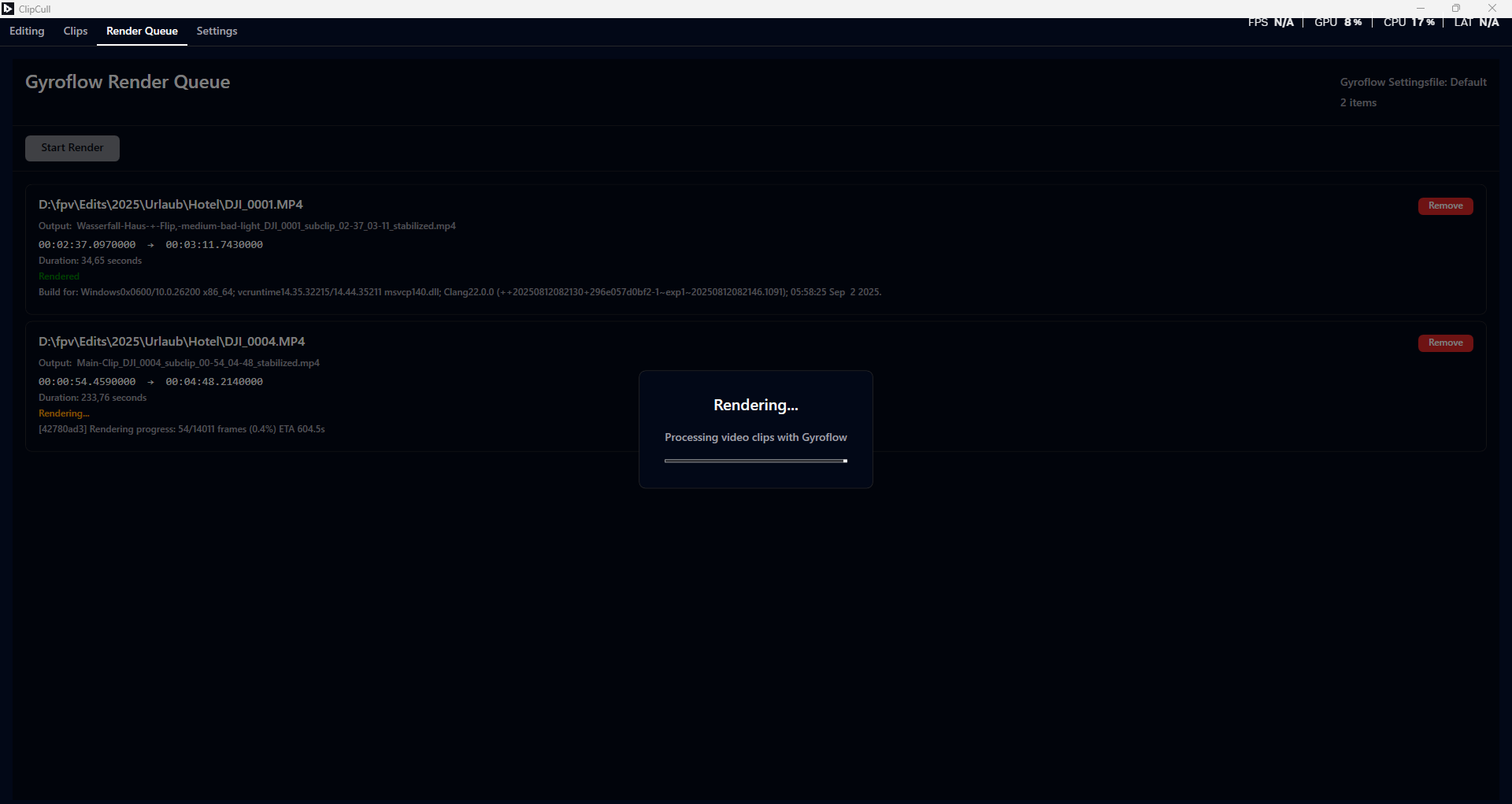
- Seamless Integration. Send clips directly to Gyroflow for stabilization without leaving the app.
- Render Queue. Queue up 20 clips and let them render while you fly another pack.
- GPU Accelerated. Takes full advantage of your hardware for fast exports.
- Auto-Discovery. Automatically finds your existing Gyroflow installation.
Portable Metadata
- Zero Lock-in. All your tags, ratings, and clips are stored in tiny XML files right next to your videos.
- Portable. Move your footage folder to a new drive, and your library goes with it automatically.
- Human Readable. You can open the metadata files in Notepad if you ever need to check something manually.
Designed for Speed
- Customizable Hotkeys. Set up shortcuts for everything to fly through your footage as fast as you fly your drone.
- Dockable Layout. Move panels around to fit your screen—whether it's a laptop or a massive ultrawide.
- Auto-Save. Never lose your work. Metadata saves automatically as you tag.
- Dark Mode. Easy on the eyes for those late-night editing sessions.
4 Simple Tabs
ClipCull keeps it simple with a focused interface:
| Tab | What it's for |
|---|---|
| Editing | Your main workspace. Scrub footage, mark In/Out points, creates sub-clips. |
| Clips | Your library view. See all your sub-clips, filter by tags, and rate them. |
| Render Queue | The "Export" station. Manage your batch renders for Gyroflow stabilization. |
| Settings | Customize your hotkeys, manage tag colors, and set preferences. |
Supported Formats
ClipCull supports common video formats used by drones and action cameras:
MP4, MOV, AVI, MKV, WMV, FLV, WebM, M4V